
Your subscriptionnow edits video.
Connect Vyra to Claude, ChatGPT, or any MCP client. Describe your edit in natural language — the AI does the rest.
Connect
One editor, every interface
Whether you use a desktop app, terminal, or web browser — Vyra works wherever your AI assistant lives.
Add slow motion to the intro
Used 1 tool
Applied 0.5x speed ramp to 0:00–0:03. The intro now plays in slow motion.
Desktop App
Claude Desktop, ChatGPT app, Cursor
~ $ npx @anthropic-ai/claude-code
╭ Claude Code
> trim my travel vlog to the best 30 seconds
Analyzing 4:20 of footage...
✓ Kept 0:47–1:18 (best segment)
✓ Exported: travel-vlog-cut.mp4
~ $ ▊
Terminal
Claude Code, CLI clients, developer tools
Remove the background music and add captions
I'll remove the audio track and generate captions from the speech.
Done — audio track removed, 31 captions synced to speech.
Web App
claude.ai, chatgpt.com, any web client
Gallery
Made with Vyra
Real content from real creators. From raw footage to published in minutes.
Compare
Alternatives are expensive and slow
Whether you learn a pro tool or hire someone, the current options cost too much time and money.
Traditional Editors
With Vyra MCP
Other AI Video Tools
Capabilities
What your AI can do
Every tool in the editor is available through natural language.
Motion Graphics
The AI generates animated titles, lower thirds, data visualizations, and more — written as code components and rendered in real-time on your timeline.
 0:02
0:02Restaurant dinner
 0:05
0:05Hot pot close-up
 0:25
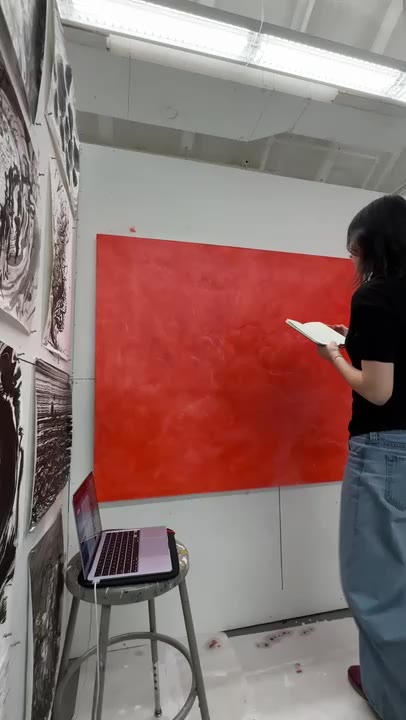
0:25Art studio session
 0:03
0:03Halfpipe trick
 0:05
0:05Selfie walk
 0:14
0:14Dance performance
Understands Your Footage
Vyra analyzes every clip — detecting scenes, transcribing speech, identifying objects and people. Your AI assistant sees what's actually in your footage and makes editing decisions based on real content, not guesses.
Music Sync
The AI detects beats and energy in your audio track, then automatically cuts and transitions your footage to match the rhythm.
Match Reference Style
Drop in a reference video and the AI analyzes its pacing, color, and transitions — then applies that same style to your footage.
Every result shown above was generated entirely by Vyra's AI agent — the only human input was a prompt.
Pricing
Simple, honest pricing
Start free. Upgrade when you need more. No surprises.
Free
Get started with basic editing.
- 600 processing credits
- 2 GB storage
- 720pp export resolution
- 20 exports/month
- 5 projects
- Motion graphic export
- MCP access
MCP Starter
For creators who publish regularly.
7-day free trial
- 6,000 processing credits
- 50 GB storage
- 1440pp export resolution
- 1,000 exports/month
- 100 projects
- Motion graphic export
- MCP access
MCP Pro
For professionals and teams.
7-day free trial
- 18,000 processing credits
- 200 GB storage
- 4kp export resolution
- 1,000 exports/month
- 1000 projects
- Motion graphic export
- MCP access
All plans include MCP access. 7-day free trial on paid plans. No credit card required to start.
FAQ
Frequently asked questions
What is Vyra?
Vyra is a video editor you control through AI assistants like Claude and ChatGPT. Connect it via MCP, describe your edit, and the AI handles cuts, captions, effects, and more — using your real footage.
What is MCP?
MCP (Model Context Protocol) lets AI assistants connect to external tools. Vyra uses MCP so Claude, ChatGPT, or any compatible client can control the editor directly.
Which AI clients work with Vyra?
Any MCP-compatible client works. We’ve tested with Claude (Anthropic), ChatGPT, and several open-source clients. If your client supports MCP, it works with Vyra.
Do I need editing experience?
Not at all. Most users go from upload to export in under 5 minutes. The AI handles the technical work, and you can always open the full timeline editor for fine-grained control.
How is this different from other AI video tools?
Most AI video tools generate synthetic content. Vyra edits your real footage — it understands what’s in your clips and makes intelligent editing decisions, not templates.
What does the free plan include?
600 processing credits per month, 720p exports, 2GB storage, and full MCP access. Enough to try Vyra and see if it fits your workflow.